How to Choose an Automation Computer in 2026?
Choosing an Automation Computer in 2026 requires more than comparing processor speed or memory capacity. Industrial environments are demanding, unpredictable, and rarely forgiving. A computer beside a packaging line may face vibration, dust, heat, electrical noise, and continuous operation. It must also communicate with PLCs, sensors, cameras, robots, and enterprise systems without creating fragile links.
Craig Resnick, a recognized automation industry analyst, captures this challenge with a practical observation: “One size does not fit all in industrial automation.” That principle should guide every purchasing decision. A compact fanless computer may suit a clean control cabinet, while a rugged edge system may be necessary near a welding cell. Buyers should examine processor performance, expansion options, storage endurance, operating temperature, cybersecurity features, and long-term product availability. Support for OPC UA, industrial Ethernet, and current operating systems also matters. So does compliance with relevant safety and electromagnetic compatibility requirements.
The best Automation Computer is not always the fastest model. It is the one that remains stable during a twelve-hour shift, recovers quickly after a power interruption, and fits the maintenance team’s skills. Some specifications look impressive but add little value on the factory floor. I have seen projects overpay for unused graphics performance while ignoring service access and spare-part planning. That mistake is easy to repeat. This guide will compare practical selection criteria, including workload demands, environmental protection, connectivity, lifecycle support, and total cost. The final choice should reflect real operating conditions, not a laboratory benchmark alone.
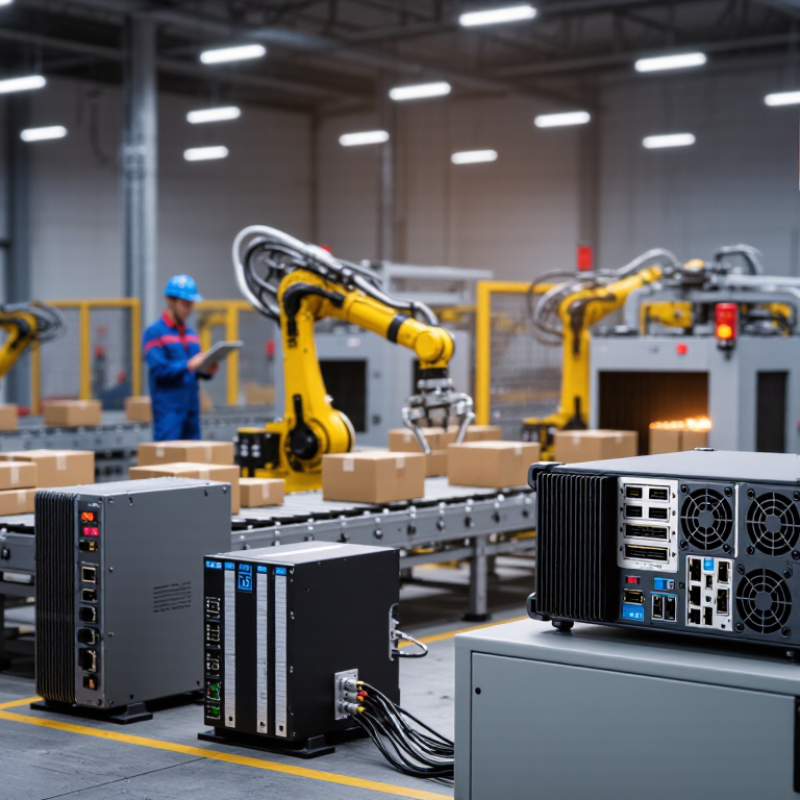
What Is an Automation Computer and Why Does It Matter in 2026?
How to Choose an Automation Computer in 2026?
An automation computer is a rugged computing system built to control, monitor, and analyze industrial equipment. Unlike office PCs, it handles dust, vibration, temperature changes, and continuous operation. It connects with sensors, programmable controllers, cameras, and production software. A typical unit may run control logic, collect machine data, and display operator instructions at the same time. This sounds simple. The real challenge is reliability.
In 2026, factories, warehouses, and energy facilities are producing more data than before. Artificial intelligence can detect unusual motor noise, rising temperatures, or repeated production delays. However, sending every signal to a distant server can create delays and privacy concerns. Local processing allows faster decisions, even when the network becomes unstable. It also supports safer maintenance because operators can see clear alerts near the equipment. A flashing warning beside a hot motor is more useful than a delayed email.
Choosing an automation computer requires practical testing, not just attractive specifications. Check its processor performance, memory capacity, operating temperature, connection options, and long-term software support. Cybersecurity matters too, especially secure updates and controlled user access. A fanless design can reduce dust problems, but it may struggle with heavy workloads. I have seen systems selected for impressive speed but installed in poorly ventilated cabinets. That mistake is easy to make. Reviewers should test the computer under real heat, vibration, and data loads before trusting it on a production floor.
Which Automation Tasks and Workloads Must It Support?
Choosing an automation computer in 2026 starts with the workload, not the processor label. Map every task it must perform during the busiest production hour. A controller may need to run PLC logic, motion commands, HMI software, and alarm handling at once. Machine vision adds another demand. It may process several camera feeds while rejecting defective parts in milliseconds. If the system uses local AI inference, reserve headroom for changing models and larger datasets.
A practical test should mirror the factory floor. Connect the planned sensors, network devices, cameras, and safety interfaces. Then measure response time, memory usage, storage writes, and operating temperature. Logging production data can quietly consume storage. Poor cooling can also reduce performance after hours of continuous operation. I have seen impressive specifications fail when vibration, dust, or unstable power entered the picture. That experience makes expansion options important, including extra ports, removable storage, and memory capacity.
The computer should support deterministic communication where timing matters. It also needs secure updates, access control, event logs, and recovery tools. A short outage should not erase recipes or inspection results. Fanless designs can reduce maintenance, but they may limit sustained performance. That trade-off deserves testing, not assumptions. No specification is perfect. Leave realistic capacity for future devices, yet avoid paying for resources the workload cannot use. Reliability comes from measured compatibility, stable software, and clear maintenance procedures.
How to Compare Processing Power, Memory, Storage, and Connectivity
In 2026, choosing an automation computer requires more than checking its processor speed. Start with the workload. A vision inspection system needs fast parallel processing, while a control cabinet may value stable, predictable response times. Compare sustained performance, not only peak scores. Test the computer with your actual camera feeds, control software, and data volume. Short trials often reveal thermal throttling or unexpected delays.
Memory affects how comfortably the system handles multiple tasks. For example, a machine running motion control, monitoring software, and local analytics should have enough headroom. More memory is useful, but unnecessary capacity increases cost. Storage also deserves careful comparison. Solid-state storage improves startup and data access, while higher endurance matters when logs are written continuously. I have seen installations fail because storage capacity was considered, but write durability was ignored.
Tips: Map every connected device before selecting ports. Check Ethernet speed, USB versions, serial interfaces, fieldbus support, and expansion options. Leave spare ports. You may need them later. Review power input, operating temperature, and vibration tolerance under real conditions. Connectivity is not just about quantity; stable communication matters more than impressive specifications. Wireless access can simplify maintenance, but wired links are often more dependable in electrically noisy environments. My own preference is to test a complete setup for several days, although that is not always practical. A short test is better than trusting a perfect datasheet.
How to Evaluate Reliability, Expansion, Cost, and Long-Term Value
How to Choose an Automation Computer in 2026?
An automation computer must survive heat, dust, vibration, and unstable network conditions. During commissioning, I check boot time, fan behavior, storage access, and recovery after power loss. Small failures become expensive when production stops.
The 2024 Global Data Center Survey reported that 54% of outages cost less than $100,000, while some exceeded $1 million. The lesson is uncomfortable: a low purchase price does not prove low risk.
Reliability starts with industrial temperature ratings, protected storage, redundant power options, and documented lifecycle support. Check compliance with relevant IEC standards, but do not treat certification as a complete field test. Ask for failure-rate evidence and replacement availability. Field experience still matters.
Expansion also deserves a physical test. Leave room for extra Ethernet ports, serial interfaces, storage, memory, and future control software. A compact computer may fit today, then become a bottleneck within two years.
Deloitte’s 2024 Smart Manufacturing and Operations Survey found that 86% of leaders considered smart manufacturing important for competitiveness.
That pressure makes upgrade paths valuable. Yet, expansion can increase software complexity and maintenance work. I have seen teams overbuy capacity and underfund support.
Calculate total cost of ownership, including engineering hours, spare units, downtime, energy, and security updates. Cheap hardware often looks efficient only on the first quotation.