- Proudly Made in the USA

Choosing a 4x2 Hdmi Matrix Switch in 2026 requires more than counting ports. It requires understanding how real displays, sources, cables, and users behave together. A small meeting room may connect a laptop, streaming box, game console, and Blu-ray player to two screens. Each screen may demand a different resolution, refresh rate, or audio format. A reliable switch must manage those changes without black screens or repeated reboots.
Peter Putman, a respected audiovisual technology consultant, offers a useful reminder: “A matrix is only as reliable as its weakest handshake.” That practical observation shapes this buying guide. We will examine EDID management, HDMI version support, HDCP compatibility, HDR pass-through, audio extraction, remote control, and switching speed. These details often matter more than attractive packaging. A switch that supports 4K on paper may still struggle with a long cable or an older projector.
Hands-on testing remains important. Connect a 4K source, a 1080p display, and a soundbar. Switch inputs repeatedly. Watch for flicker, delayed audio, or lost signals. Then test automatic switching and power recovery. The results may not look perfect. That is useful. Marketing claims can hide practical weaknesses.
This 2026 guide compares leading 4x2 HDMI Matrix Switch models for homes, offices, classrooms, and compact control rooms. It focuses on stable performance, clear specifications, and sensible value. The best choice is not always the most expensive one. It is the model that works consistently with your actual equipment.
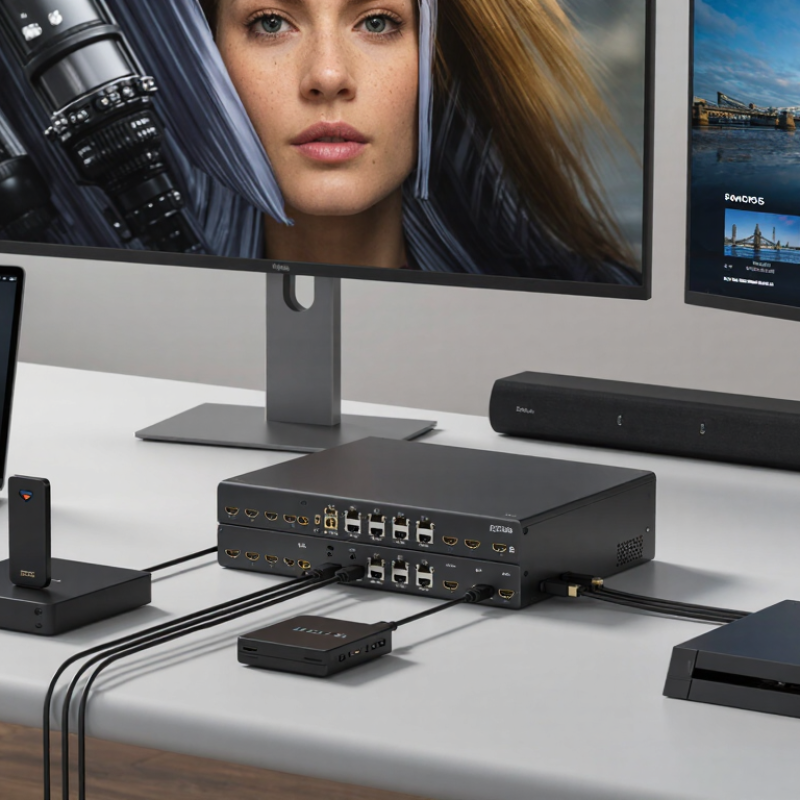
A 4x2 HDMI matrix switch has four input ports and two output ports. It routes separate video sources to two displays at the same time. For example, a game console can appear on a living-room television, while a media player appears on a projector. It is not magic. The switch reads control signals, selects the requested path, and sends the source signal forward.
The important detail is compatibility. HDMI Forum’s Version 2.1 specification supports bandwidth up to 48 Gbps, enabling high-resolution video and higher refresh rates when every connected device supports them. HDCP, EDID, HDR, and audio formats can still create problems. In field installations, one display may accept 4K video while another falls back to 1080p. That is the trap. A 2024 Mordor Intelligence market report projects steady growth in the HDMI cable market through 2029, reflecting broader demand for connected home entertainment equipment. However, cable demand does not guarantee smooth matrix performance.
Tips: Check the lowest specification among your source, displays, and cables. Confirm resolution, refresh rate, HDR, HDCP, and audio support together. Use short, certified high-speed cables where possible. Test each input separately before hiding cables. EDID management can solve inconsistent displays, but it may require manual settings. I would not trust an impressive port count alone. Thermal design, switching speed, remote control reliability, and firmware support matter too.

A 4x2 HDMI matrix should be judged by its weakest specification. HDMI Licensing Administrator documentation states that HDMI 2.1 can support up to 48 Gbps, 4K at 120Hz, and 8K at 60Hz. These figures matter for modern consoles, gaming PCs, and high-refresh displays. However, a product listing may advertise “8K” while limiting bandwidth to lower chroma or reduced color depth.
Check the full signal path, not only the matrix. A 4K120 source, matrix, cable, and display must all support the same timing. Look for FRL transmission, HDR10, Dolby Vision compatibility, HDCP 2.3, VRR, and eARC passthrough. The Consumer Technology Association’s 8K display guidance defines 8K as 7680 × 4320 pixels, but resolution alone says little about motion quality. Brightness, chroma, and refresh rate still shape the viewing experience.
Real installations expose the flaws. A long cable can trigger a black screen during source switching. EDID conflicts can also force a laptop into 1080p. I have found that automatic mode is convenient, but manual EDID control is safer in mixed systems. Check whether audio can be extracted independently, and whether each output can use a different resolution. Specifications help, but firmware quality remains difficult to measure. That gap deserves caution.
A 4x2 HDMI matrix switch connects four source devices to two displays. The right model should match your actual equipment, not just advertise a higher specification. Count every source, including a game console, streaming box, media player, and computer. Then confirm both displays support the same resolution, refresh rate, HDR format, and audio standards.
Mixed displays need extra attention. A 4K television and an older 1080p projector may not share identical capabilities. Look for reliable EDID management and automatic downscaling. Without it, the screen may flicker, lose audio, or show no image.
Test the cable distance too. A long run through a wall can become unstable, even when short desk connections work perfectly.
I recommend checking HDCP compatibility before installation. It affects protected video from many modern sources. During one setup, I assumed the switch would negotiate settings automatically. It did not. The projector stayed black until I selected a compatible output mode manually. That mistake changed my buying checklist: verify input and output limits separately, then test the exact source-display combination.
Physical controls are useful when the remote disappears. A clear status indicator helps during troubleshooting. Small details matter.
A 4x2 HDMI matrix switch sends four source devices to two displays. The right features make daily switching feel almost invisible. In real use, reliable signal detection matters more than a long specification list. A laptop should wake the office monitor without repeated cable changes. A media player should reach the television within a few seconds.
Look for support for 4K resolution at 60Hz, HDR pass-through, and modern copy-protection standards. EDID management is equally important. It helps each source understand the connected display’s capabilities. Without it, a screen may flash, lose audio, or fall back to a lower resolution. Audio extraction can also help when a display lacks suitable speakers. Still, compatibility is never perfect. Older cables and mixed display formats can create occasional handshake problems.
Control options affect everyday comfort. Physical buttons are useful when the remote disappears under a sofa. Infrared control works well from a nearby seat, while network control supports automation and scheduled presentations. A clear input indicator reduces mistakes in dark rooms. Auto-switching sounds convenient, but it may select an active device unexpectedly. I prefer a switch with adjustable priority or a manual override. Check for memory after power loss, because resetting inputs every morning becomes irritating. A sturdy enclosure, labeled ports, and a short switching delay also matter more than flashy menus.
Signal bandwidth is a practical starting point when evaluating switching reliability. A 4x2 matrix should support at least 18 Gbps to handle common HDMI 2.0-era 4K60 signals, while EDID management, HDCP 2.2, CEC, IR, and RS-232 improve control and everyday usability.
The values show approximate TMDS data rates for common uncompressed RGB or YCbCr 4:4:4 formats, including typical HDMI blanking overhead. A matrix rated below 18 Gbps may limit 4K at 60 Hz, HDR compatibility, or full 4:4:4 color, so bandwidth should be checked alongside EDID and HDCP support.
A 4x2 HDMI matrix switch sends four source devices to two displays, independently or together. Before buying, compare more than the port count. Check whether every input and output supports your required resolution, refresh rate, HDR format, and audio standard. A device marked “4K” may only handle 4K at 30Hz, which can make desktop movement feel sluggish.
In practical installations, bandwidth and EDID management often decide whether switching feels reliable. For 4K at 60Hz with HDR, verify the stated bandwidth and test the exact cable length you plan to use. EDID controls should let a television, projector, and monitor negotiate compatible signals. HDCP support also matters for protected video sources. Read the technical manual, not only the product page. I once trusted a simplified specification and overlooked audio limitations; the picture worked, but the receiver stayed silent.
Tips: Compare switching time, remote-control range, front-panel buttons, and power recovery after an outage. Look for status indicators that remain visible from several feet away. If you need surround sound, confirm whether the matrix passes it or extracts it separately. Check independent measurements when possible. A small delay may be acceptable in a meeting room, but frustrating during gaming. Also consider ventilation, mounting space, and warranty terms. The cheapest option can become expensive when troubleshooting consumes an afternoon.
| Comparison Criteria | Basic 4x2 Matrix | 4K60 4x2 Matrix | 4K120 Gaming Matrix | Professional 4K Matrix |
|---|---|---|---|---|
| Typical use case | Home TV and projector switching | Home theater, office, and classroom systems | Gaming consoles, high-refresh displays, and PCs | Commercial AV, control rooms, and distributed video |
| HDMI inputs / outputs | 4 / 2 | 4 / 2 | 4 / 2 | 4 / 2 |
| Maximum video resolution | Up to 4K at 30 Hz | Up to 4K at 60 Hz | Up to 4K at 120 Hz or 8K at 60 Hz, depending on model | Up to 4K at 60 Hz; selected models support 8K |
| Recommended HDMI bandwidth | 10.2 Gbps or higher | 18 Gbps | 40–48 Gbps | 18 Gbps minimum; higher for 8K systems |
| Supported color formats | RGB and YCbCr 4:4:4/4:2:2, subject to resolution | RGB and YCbCr 4:4:4 at compatible 4K60 settings | RGB and YCbCr 4:4:4 at high refresh rates, subject to source and display | RGB and YCbCr formats with configurable EDID management |
| HDR support | Usually limited or unavailable | HDR10 and HLG are commonly supported | HDR10, HLG, and often Dolby Vision pass-through | HDR10 and HLG; advanced formats depend on the model |
| HDCP compatibility | HDCP 1.4; some models support HDCP 2.2 | HDCP 2.2 commonly supported | HDCP 2.3 commonly supported | HDCP 2.2 or 2.3 with status monitoring on selected models |
| Audio pass-through | Stereo and compressed 5.1 audio | Dolby and DTS 5.1/7.1 pass-through; model dependent | Multichannel PCM, Dolby formats, DTS formats, and selected object-based formats | Up to multichannel lossless audio; configurable de-embedding on selected models |
| Audio extraction | Often unavailable or stereo only | Usually available through optical or 3.5 mm output | Optical or analog extraction on selected models | Optical, analog, or balanced audio options may be available |
| EDID management | Automatic EDID or basic fixed profiles | Copy, default, and fixed EDID modes | Advanced EDID profiles for resolution, refresh rate, HDR, and audio | Customizable EDID, display emulation, and per-output control |
| Control methods | Front-panel buttons and IR remote | Front-panel buttons, IR remote, and sometimes RS-232 | Buttons, IR, RS-232, and sometimes network control | RS-232, IP control, web interface, IR, and automation integration |
| Independent output routing | Yes, with basic source selection | Yes, independently selectable outputs | Yes, with fast switching and gaming-oriented compatibility | Yes, with routing memory and system presets |
| Switching behavior | May briefly blank or resync during source changes | Fast switching; brief resync is still possible | Designed for low-latency switching; actual delay varies by display | Fast switching with configurable output and EDID behavior |
| HDMI-CEC support | Often limited or unavailable | Available on selected models | Available on selected models; compatibility varies | Usually configurable or selectively disabled |
| Typical maximum cable length | Approximately 5–10 m at 4K, depending on cable quality | Approximately 5–10 m with certified 18 Gbps cables | Typically 3–5 m for passive cables at high bandwidth | Longer distances require active, optical, or extension solutions |
| Power and installation | External power adapter; compact desktop installation | External power adapter; desktop or shelf installation | External power adapter; adequate ventilation recommended | Rack-mountable or rack-shelf installation on selected models |
| Best buying priority | Basic source selection and low cost | 4K60 compatibility, HDR, and reliable EDID handling | Bandwidth, refresh rate, VRR, HDR, and low latency | Control integration, reliability, monitoring, and installation flexibility |
Buying note: Confirm the exact resolution, refresh rate, HDR format, HDCP version, VRR support, audio capability, and cable requirements for every source and display in your system. Specifications can vary significantly between individual 4x2 HDMI matrix models.
Whether you’re looking for fire-rated walls, doors, openings, floors or a specialty service, we have the solution for you. With over 40 years of experience in testing, innovating, and providing technologically advanced fire-rated glass and framing products, we deliver unyielding performance and quality at a competitive price.
